Flowbird Parking
- 3.8
- Rating
- 1.00M
- Installs
- Free
- Price

 Analysis by App-foxy
Parking apps are easy to appreciate when everything goes smoothly and surprisingly frustrating when the details matter most. I tested Flowbird Parking with that in mind: not just whether it can help pay for a parking session, but whether the process feels understandable, controllable, and trustworthy when I am standing beside a car with limited time.
Flowbird is a free Auto & Vehicles app from Flowbird. It has been available since December 7, 2018, and its current version is 3.16.3. The app is rated for Everyone, works from Android 7.1 onward, and has passed the one-million-install mark. Its average score sits at 3.8 from roughly 49 thousand ratings, with about 1.2 thousand written reviews. Those figures suggest a widely used service with a mixed but substantial body of public feedback rather than a niche experiment.
My overall impression is that it is most useful when your local parking area supports Flowbird and you want to avoid a meter or payment machine. The important qualification is that the app does not replace checking the signs around the space. A phone interface can make payment quicker, but it cannot make an unsuitable parking spot legal. I would treat it as a payment companion, not as a substitute for reading restrictions, hours, vehicle limits, or local instructions.
You May Also Like

 Blood Strike: 2.5 Anniversary
Blood Strike’s Loadouts Turn Every Drop Into a Tactical Gamble
A close look at Blood Strike’s custom loadouts: how fast access to signature weapons reshapes its battle royale rhythm, rewards preparation, and narrows the gap between fights.

 Pandora - Music & Podcasts
Pandora’s Music Is Easy to Start, but Harder to Recover
Pandora’s strength is its low-effort path from a seed to a station. Its weak spot is how much confidence it asks you to place in connection, setup, and quiet recovery.

 8 Ball Pool
 Is Built on Rivalries, Rematches, and Routine
A close look at the rivalries, rematches, shared routines, and unanswered safety questions that turn a quick pool match into a persistent mobile community.

 Samsung Music
’s Quiet Strength Is Playing What You Already Own
Its reach comes less from spectacle than from dependable access to a personal library. That simplicity is both the app’s strongest retention engine and its ceiling.

 AccuWeather: Weather Radar
AccuWeather Review: A Quick, Clear Forecast for Everyday Decisions
For everyday plans, the best forecast is the one you can understand quickly. AccuWeather makes rain timing, radar, and local conditions easy to act on, with a few trade-offs.

 Hill Climb Racing
Why Hill Climb Racing Still Turns Crashes Into One More Run
A tiny car, a bumpy hill and one more upgrade: Hill Climb Racing keeps resurfacing because its simple chaos makes every near-miss feel personal.
More From Our News Desk
View All News


How Flowbird earns trust at the moment you park
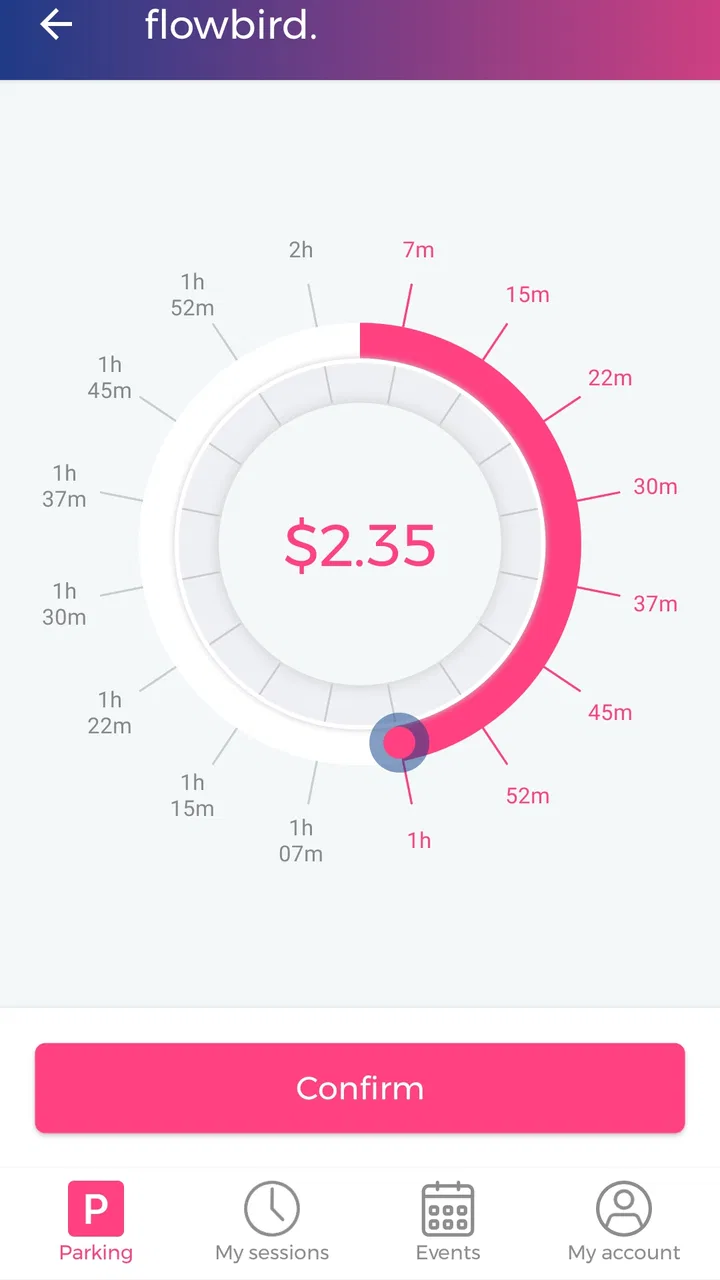
The first trust test is simple: can I understand what I am paying for before confirming? In a parking app, the location, duration, vehicle, and final amount matter more than decorative screens. I found the best approach was to slow down at the confirmation stage instead of tapping through automatically. A few seconds spent checking the selected area and vehicle can prevent the most expensive kind of mistake: paying for the wrong place.
That habit is especially important in streets where several parking zones sit close together. GPS can help orient me, but I would not rely on it blindly between neighboring streets or lots. I compare the location shown in the app with the zone information on the sign. If they disagree, the sign and local instructions deserve priority. This is one of the less obvious trade-offs of mobile parking: convenience increases the temptation to trust the phone more than the physical environment.
The developer is clearly identified as Flowbird, which gives the app a recognizable point of responsibility. The public adoption level also makes it feel more established than a newly launched local tool. Still, popularity is not proof that every session will be trouble-free. A sensible user keeps the payment confirmation and notes the vehicle and zone selected, particularly when parking for work, travel, or an appointment.
What I check before starting a session
I use a small routine that makes Flowbird more dependable. First, I confirm the car or registration details displayed in the app. Second, I match the parking area with the sign rather than accepting the nearest suggested location without thought. Third, I review the duration and amount before completing payment. Finally, I wait for a clear confirmation before walking away.
This routine may sound cautious, but it addresses the main weakness of phone-based parking: an error can look like a successful transaction. A receipt or confirmation only proves that something was paid for; it does not automatically prove that the correct vehicle, zone, or duration was selected. That distinction is worth remembering whenever a parking attendant or camera system may check the session electronically.
Another practical tip is to avoid beginning the process while driving or while blocking traffic. Pull over safely, then use the app. If the street is busy, I would rather use a conventional meter or ask a passenger to handle the phone than make a rushed selection beside moving vehicles. Flowbird can reduce the time spent at a machine, but it should not create a new distraction.
Controls matter more than a quick payment
A parking session is not a one-time purchase in the usual sense. It has a beginning, an end, and sometimes a need for adjustment. That makes account and session controls important. Before relying on the app for a long appointment, I would explore how the current session is displayed and where any available extension or stopping controls appear. Knowing the route in advance is much better than trying to discover it after the paid period is almost over.
I also prefer to review stored information periodically. If the app remembers a vehicle or payment choice, I want to know which option is active before confirming. This is not a criticism unique to Flowbird; it is a general rule for any app that can charge while I am in a hurry. A saved default is convenient only when it remains accurate.
For shared cars, borrowed vehicles, or family vehicles, the risk of selecting the wrong registration is higher. I would not start a session until the displayed vehicle matches the one actually parked. If several people use the same account, agreeing on who manages the active session can prevent confusion, especially when one person assumes another has extended the time.
Privacy decisions deserve attention
Parking naturally involves sensitive moments: location, vehicle identity, payment, and the time a car remains in a particular place. I do not treat those details casually. When installing or updating Flowbird, I read the permission prompts and privacy choices rather than accepting them automatically. The useful question is not simply whether the app asks for access, but whether I understand why that access is needed for the action I want to perform.
I also look for account options that let me review or change personal details, payment information, and communication preferences. If I no longer use the service, I want a clear path to stop using it and remove information where the available controls allow. That is a better trust signal than a polished interface alone: the user should be able to see meaningful choices and change their mind.
Location is the most obvious sensitive area. It can make selecting a parking area easier, but I prefer to use it deliberately. If I already know the zone from the sign, manually checking the location can be a more comfortable choice than treating automatic detection as authoritative. The right balance depends on the situation, but the important point is that convenience should remain optional wherever the app offers a choice.
Payment information deserves the same care. I would use the app only on a device protected with a screen lock, keep the operating system reasonably current, and avoid completing a payment on an unfamiliar public network when I can wait for a safer connection. These are everyday precautions, not evidence of a problem with Flowbird. They simply recognize that a parking app handles more than a map: it may connect a vehicle, a place, and a financial transaction.
Where the app fits better than a meter
The strongest use case is a familiar parking area where Flowbird is accepted and I want to pay without returning to the car. Imagine arriving downtown for a meeting. I read the street sign, park legally, open the app, verify the area and vehicle, choose the needed time, and complete the payment. If the meeting runs longer, the ability to manage the session from the phone may be more convenient than leaving the building to find a machine.
That convenience is particularly valuable in bad weather, with luggage, or when a child is waiting in the car. It can also help when the payment machine is on the opposite side of a busy road or when I am carrying shopping bags. In those situations, removing the walk to a meter is a real improvement rather than a superficial feature.
Flowbird can also be useful for people who park regularly but not always in the same place. Instead of carrying coins or learning each machine, they can use one familiar workflow where the service is supported. However, I would still check local signs every time. Parking rules can change between streets, and an app cannot turn a short-stay area into an all-day space.
For occasional visitors, the benefit is less certain. A physical meter may be faster if the app requires account setup, payment configuration, or troubleshooting before the first session. If I am already standing beside a working machine and need only a brief stay, the traditional method may involve fewer steps. Flowbird is at its best when its digital convenience outweighs that initial setup.
Situations where I would choose another method
I would not make Flowbird my only parking plan. If the phone battery is low, mobile access is unreliable, the app cannot identify the correct area, or the payment process is unclear, I would use an available alternative. A parking meter, staffed facility, or local payment method can be the better choice when certainty matters more than convenience.
I would also hesitate to depend on it for a critical appointment until I had used it successfully in that area. A familiar app does not guarantee that every city, street, or car park follows the same rules. The local sign remains the final practical reference, and a user who ignores it may still receive a penalty even after paying through the correct application.
People who dislike creating accounts, managing saved payment details, or granting location access may prefer cash or a card at a meter. Likewise, someone who rarely parks in supported locations may gain little from installing a dedicated tool. The free price removes a financial barrier, but it does not remove the time cost of setup or the responsibility of checking every session.
Small habits that make the experience safer
I recommend taking a screenshot or keeping the confirmation available until the car is collected. I would not assume that a disappearing notification is enough if I need to demonstrate that a session was started. If the app offers a session history or receipt view, I would use it as a record rather than relying on memory.
Before leaving the car, I check the end time once more. This is a useful defense against selecting a short duration when I expected a longer stay. If plans change, I open the active session early enough to understand what controls are available. Waiting until the final minute is an avoidable source of stress.
For a vehicle used by several people, I would keep the list tidy and remove old or misleading entries when possible. A cluttered vehicle selector is not dangerous by itself, but it increases the chance of a wrong choice under pressure. Clear labels and a deliberate confirmation are more valuable than speed.
I would also keep notifications meaningful instead of allowing every alert to become background noise. A reminder about an approaching end time can be useful if it is visible, while too many unrelated notifications may make the one important message easier to miss. The exact choices depend on the phone and account, but the principle is consistent: configure the app around the way you actually park.
My verdict after weighing convenience against control
Flowbird Parking is a practical choice for drivers who regularly encounter supported parking areas and want to handle payment from a phone. I like the way it can remove the walk to a machine and make a longer stop easier to manage. The app’s long presence, broad installation base, and identifiable developer add useful confidence, while its Everyone rating makes it approachable for a wide audience.
My recommendation comes with a clear condition: use it carefully, not automatically. Check the physical signs, verify the vehicle and area, review the duration and amount, and keep the confirmation. Pay attention to permission requests, account settings, stored payment choices, and location options so that the convenience remains under your control.
The 3.8 average shows that the experience is not universally smooth, and I think that is a fair warning to keep alternatives available. It is not the right tool for someone who wants zero setup, has unreliable phone access, or parks mainly in places where a meter is simpler. For everyone else, especially drivers who value remote session management and dislike searching for a payment machine, Flowbird Parking is worth trying as a carefully used parking companion.
I would install it before a busy day rather than beside a crowded street, complete the account and vehicle checks calmly, and test the workflow in a low-pressure situation. Once those choices are familiar, the app can make ordinary parking less awkward without asking me to surrender judgment to the screen. That balance—digital convenience paired with visible user control—is the reason I would recommend it to a friend.
FAQs for Flowbird Parking
01What is Flowbird Parking and how does it work?
Flowbird Parking is a mobile app designed to simplify the parking experience. It allows users to find, reserve, and pay for parking spots in advance or on-the-go. With real-time updates and a user-friendly interface, you can easily locate available parking, extend sessions remotely, and receive reminders before your time expires.
02Is Flowbird Parking available in my area?
Flowbird Parking is available in numerous cities worldwide, but coverage varies by location. To check availability, download the app and enter your city or zip code. The app will display a map of supported areas, ensuring you can plan your parking needs accordingly. More locations are added regularly to expand coverage.
03How secure are my payments on Flowbird Parking?
Flowbird Parking uses advanced encryption and security protocols to protect your payment information. The app supports secure payment methods, including credit cards and digital wallets, ensuring that your data is handled with the utmost care. Additionally, Flowbird is compliant with industry standards to safeguard your financial transactions.
04Can I manage multiple vehicles with one Flowbird Parking account?
Yes, Flowbird Parking allows users to manage multiple vehicles from a single account. You can easily add, edit, or switch between vehicles in the app's settings. This feature is especially useful for families or individuals who own more than one car, making parking management seamless and efficient.
05What should I do if I encounter a problem with the app?
If you experience any issues with Flowbird Parking, you can access the in-app support system for assistance. The app provides a comprehensive help section with FAQs and troubleshooting tips. For further help, you can contact customer support directly through the app or via the Flowbird website, ensuring prompt resolution of your concerns.
Pros
- User-friendly interface for quick navigation.
- Multiple payment options for convenience.
- Real-time parking availability updates.
- Secure transactions ensure safety.
- Customizable notifications for reminders.
Cons
- Limited coverage in smaller cities.
- Occasional GPS inaccuracies.
- Requires stable internet connection.
- Some features need premium access.
- App size may be large for some devices.

Flowbird Parking
Gallery